
Power Saving Mode or Low Power Mode may disable 5G cellular service .
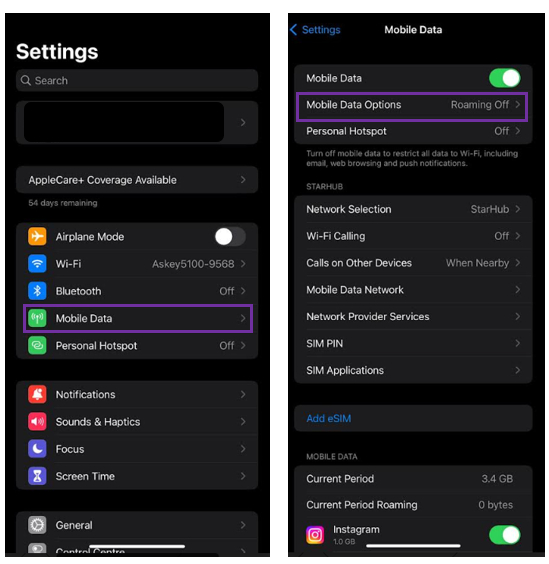
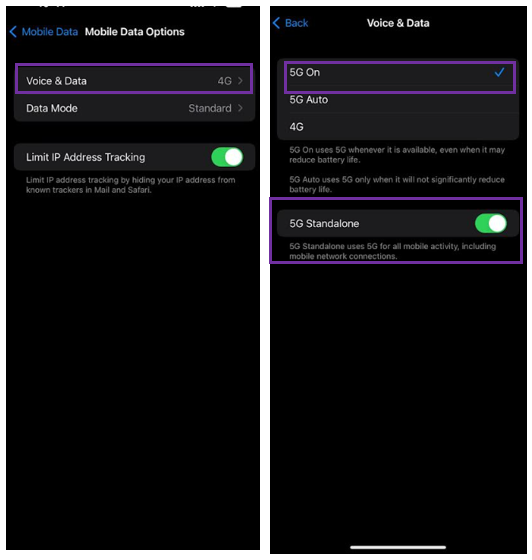
To enable 5G on your iPhone, follow the simple steps below:
Go to "Settings”
Select “Mobile Data”
Tap on “Mobile Data Options”
Click on “Voice & Data”
Select “5G On”
Set 5G Standalone "On"
If you don't see 5G in the status bar
Make sure that you’re in an area with 5G coverage.
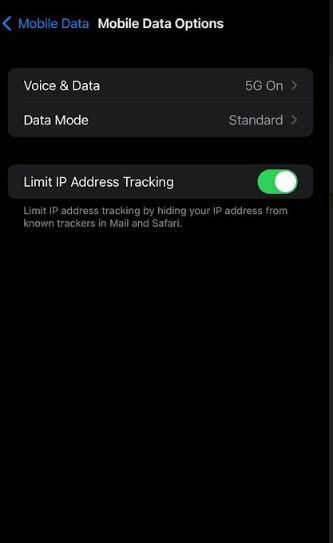
Go to Settings > Mobile Data > Mobile Data Options. If you see this screen, your device has 5G activated.
Turn on Airplane Mode, then turn it off.