How to change the way I receive marketing communications from MyRepublic?
December 8, 2021
Do not wish to receive any marketing communications from us? You can update your preference from MyAccount.
For 4G Mobile Accounts
Log on to: https://account.myrepublic.com.sg/
Go to "Account Settings"
Update your preference under "Notification Settings"
Click "Save"
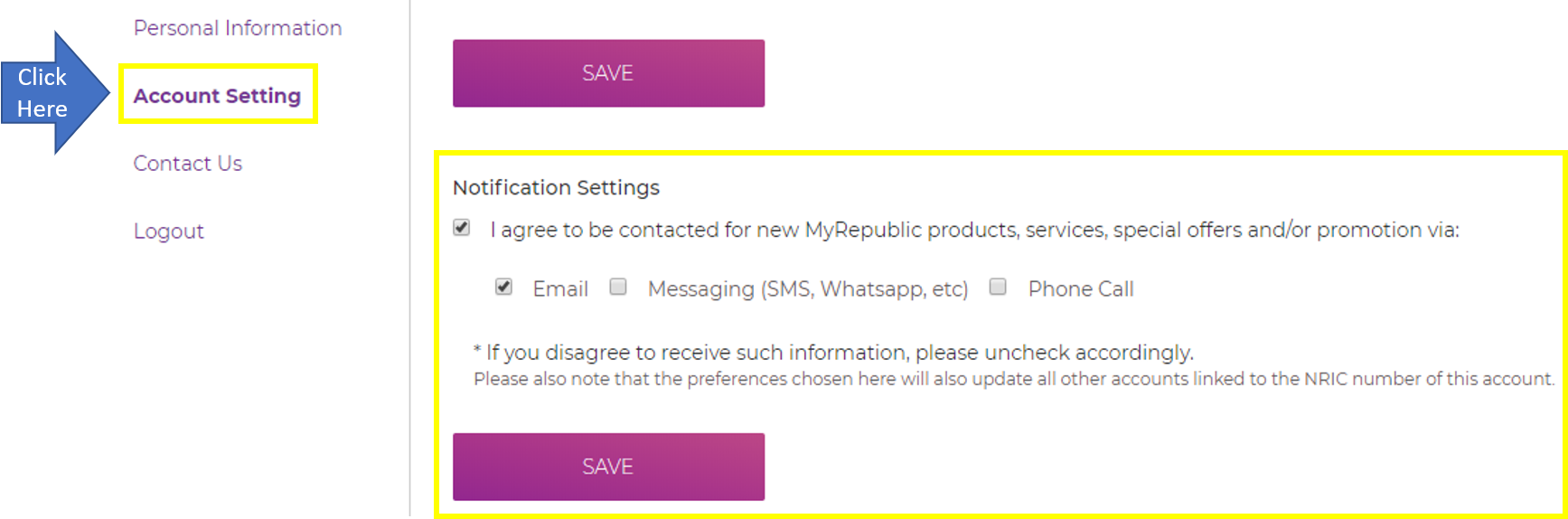
Description: The image above displays page on Mobile MyAccount > Account Settings where the customer can modify their notification settings.
For 5G Mobile Accounts
Log on to MyRepublic Mobile App
Go to "Account"
Select "Communications"
Update your preference by enabling/disabling the marketing communications for Email, Messaging, and Phone Call
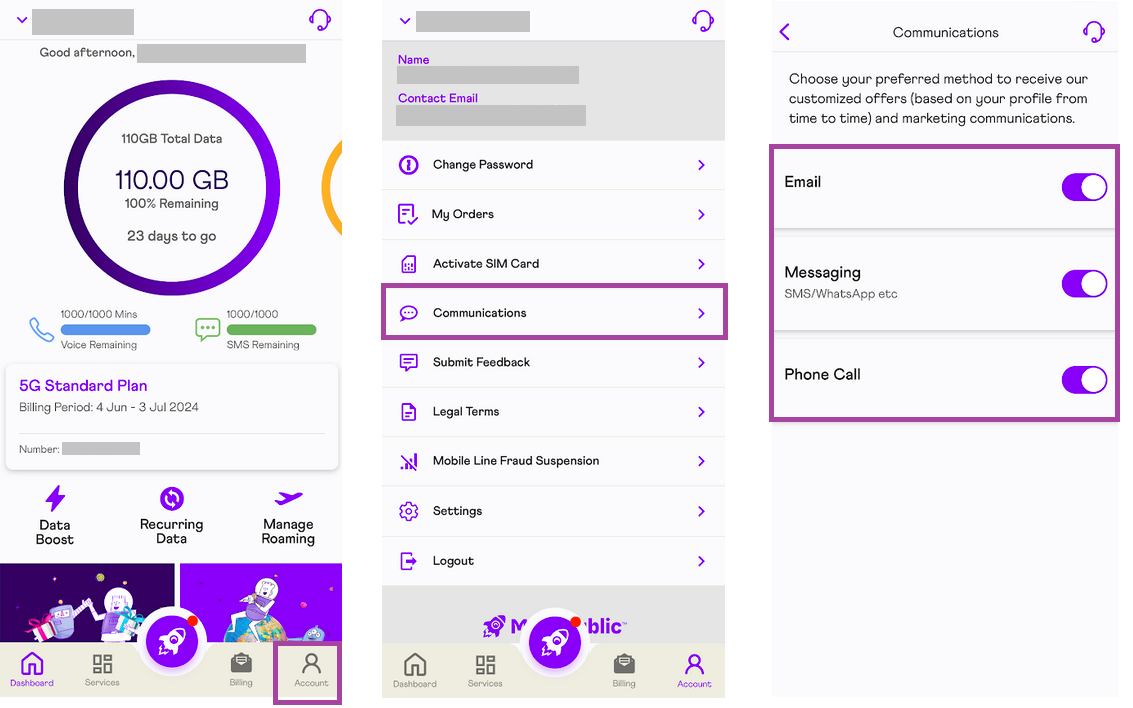
Description: The image above displays page on Mobile App > Account > Communications where the customer can modify their notification settings.

For service-related communications such as monthly MyRepublic invoice notification, payment reminder or network maintenance notices - you will still be receiving it. For more details, refer to our Privacy Policy.