Not sure where to download our mobile app? Click here to find out more.
How to make payment via our MyRepublic Mobile app?
Log in to MyRepublic Mobile App
Click

at the bottom of the app
Click "Pay Now"
Choose to make payment via your current credit card or one-time payment (with another credit card)
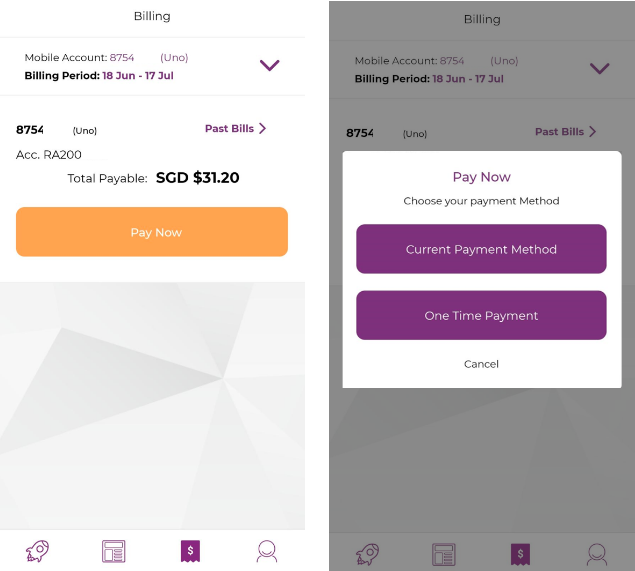
Description: The image above displays the screen on the Mobile App to select the type of payment that the customer wants to make via the app.