Many carriers around the world are moving away from 3G networks and upgrading to 4G LTE and 5G. This change means that traditional voice and SMS services over 3G might not work while you're roaming internationally. To keep you connected, you’ll now need to subscribe to a data roaming plan when traveling overseas.
💡 Key Things You Need to Know:
Subscription Needed: To use voice and SMS services while abroad, you now need to subscribe to a data roaming plan.
Pay-Per-Use Charges: Roaming will be charged on a pay-per-use basis, with costs varying depending on our partners in each country.
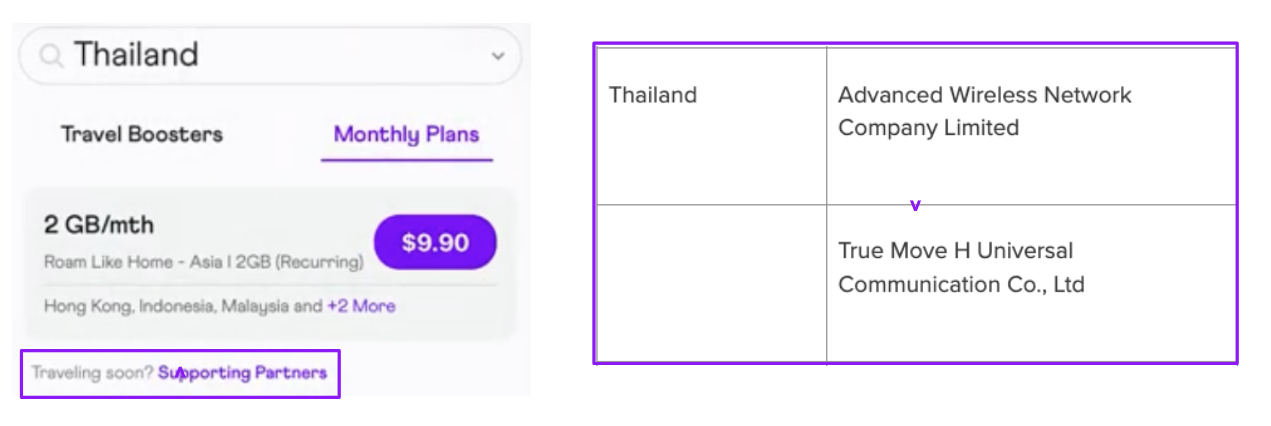
The correct Roaming Partner at the destination must be selected to enjoy the roaming service.
How to Set Up and Subscribe to Roaming Services on Your MyRepublic Mobile App
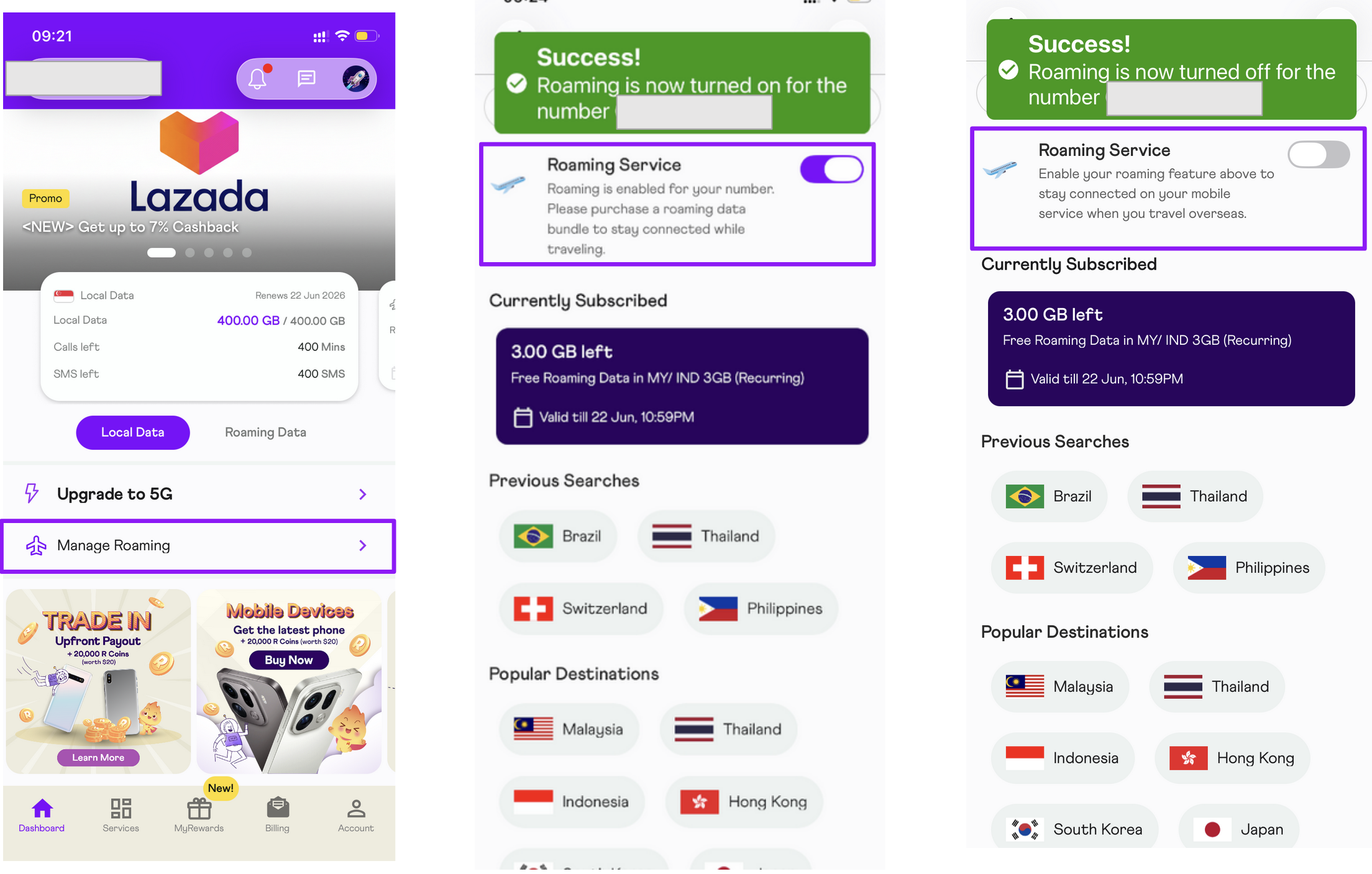
Open the MyRepublic Mobile App and login using your registered email and password.
Tap on Manage Roaming
Select to Enable or Disable your Roaming Service
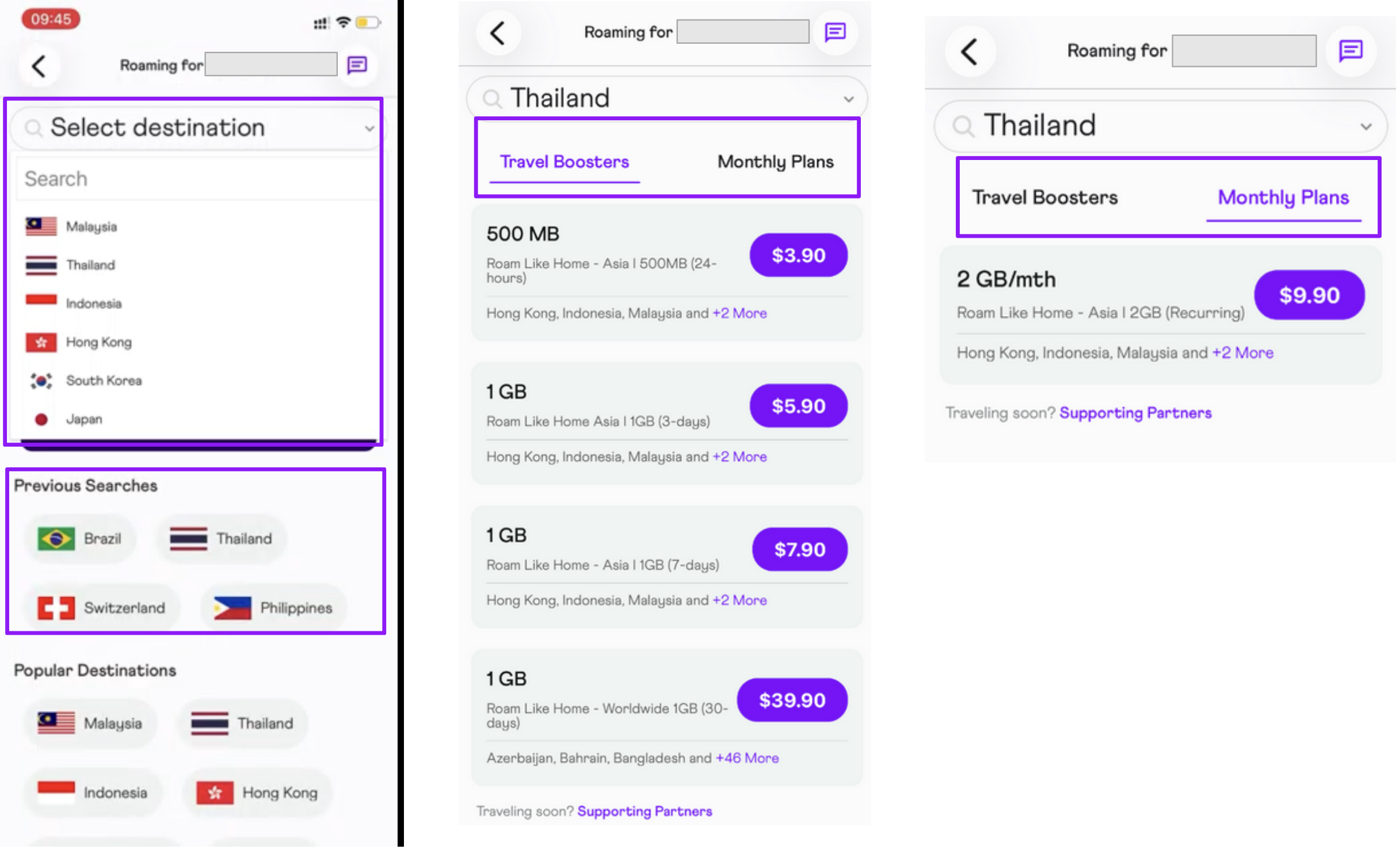
Select the destination where you will be traveling to. You may select from the drop down list of from the quick links.
Select your preferred mobile roaming plans. You may select from the plans offered for One Time Travel Booster or Monthly Plans.
After selecting your mobile roaming plan, you may schedule the activation of your roaming plan on the “Schedule” field. To activate the plan right away, select “Immediately”. Alternatively, you schedule the activation on your preferred date. This is helpful for customers who would like to purchase their mobile roaming plans in advance.
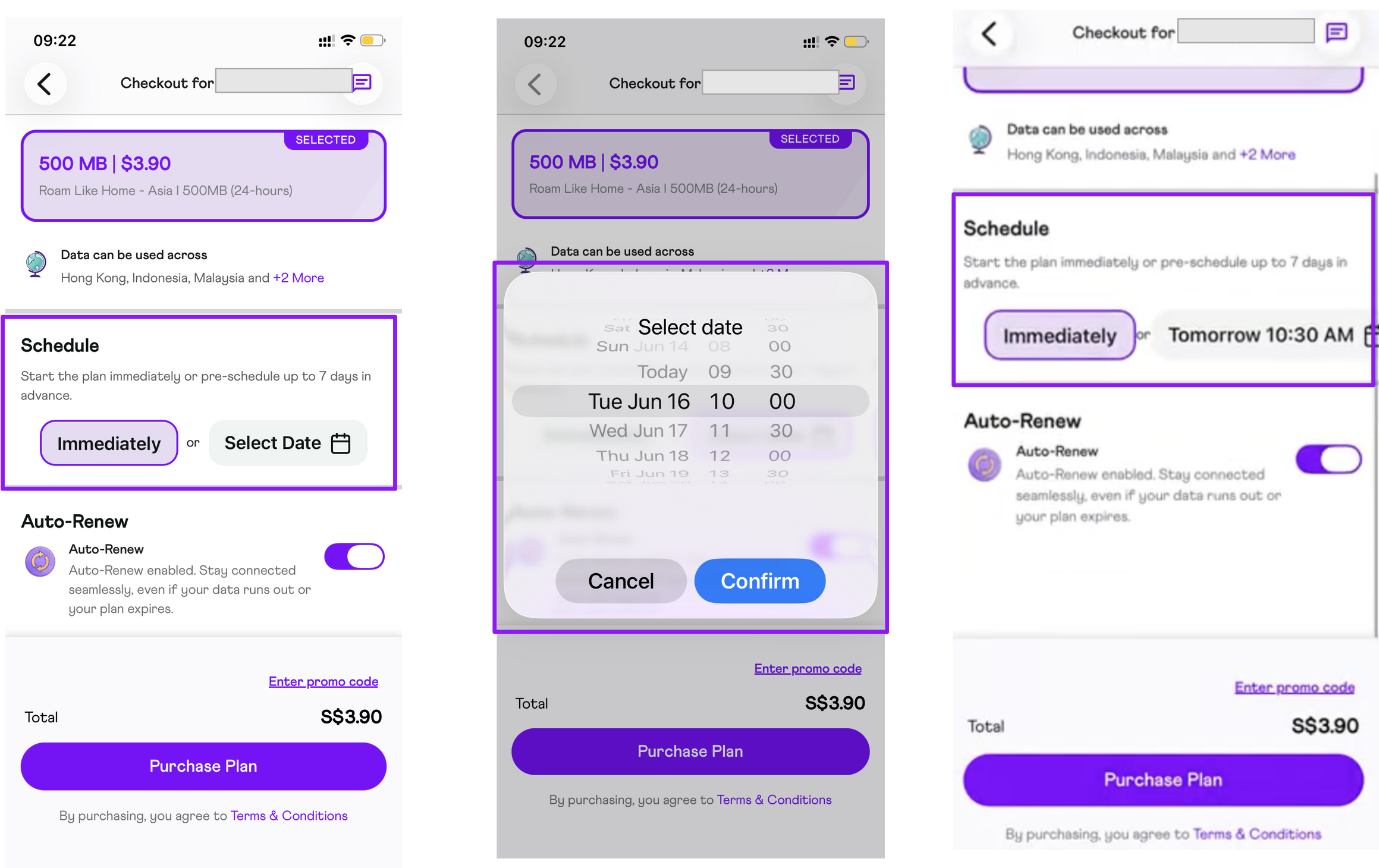
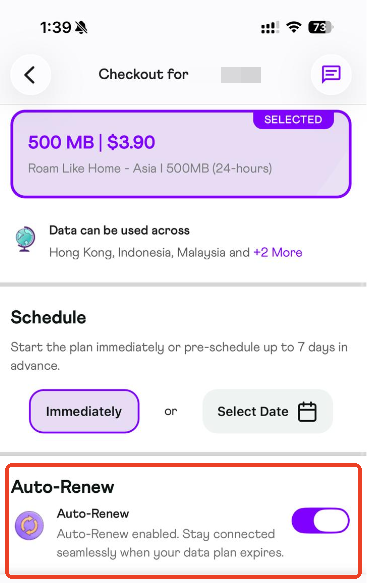
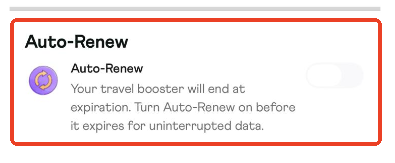
For subscribers purchasing the one time booster, you may opt to auto-renew your roaming plan by simply enabling/disabling the “Auto-Renew” field. The auto-renew feature allows our subscribers to enjoy their roaming plan and stay connected seamlessly upon the expiration of the travel booster [Example: If auto-renew is turned on and purchase of a 2nd bundle prior to the 1st bundle expiration will cause both bundles to be renewed. Hence, do manage the auto-renew by turning it off from app]. Monthly plans will not have the auto-renew feature as the roaming plan will automatically renew on the account’s billing cycle every month.
To enjoy the roaming service upon arriving to your overseas destination, please ensure to select the correct MyRepublic Roaming Partner, 4G [M1] Roaming Partners and 4G/5G [SH] Roaming Partners. Please note that depending on your destination and your mobile device, you may be required to select the mobile network manually, you may refer to our guide here.