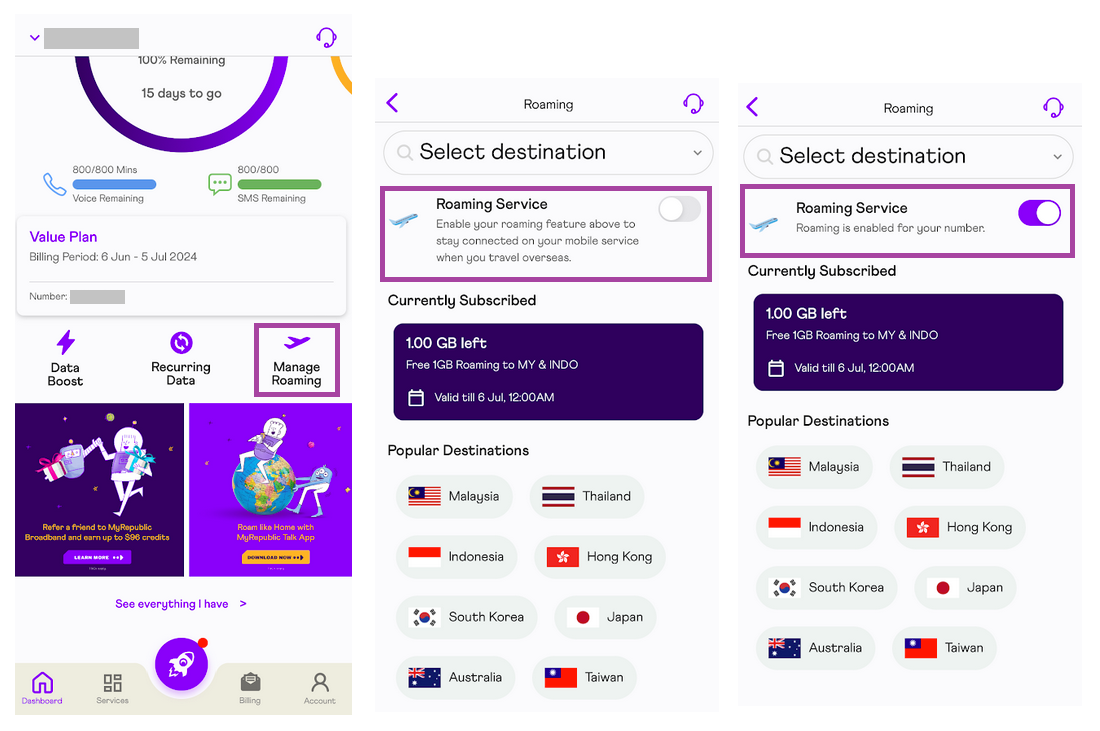
To activate roaming, you need to enable it both on the MyRepublic Mobile App and your mobile device. Follow these simple steps to manage roaming on the app:
Log in to the MyRepublic Mobile App.
From the landing page, tap on "Manage Roaming".
Toggle the "Roaming Service" to enable or disable it.
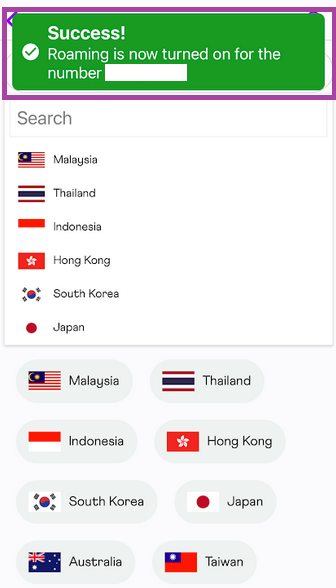
A confirmation message will appear once the roaming service is successfully updated.

Important Note: Roaming must also be enabled on your device for the service to work. The process may vary depending on your device.

Tip: Subscribers who have opted in for the auto-renew feature on their Travel Booster, this feature will need to be opted out prior to disabling the roaming feature from the app.
Auto-renew feature will need to be turned off when roaming service is no longer required to avoid the automatic renewal of the Travel Booster upon the return to Singapore.
Click the button below to manage your roaming settings in the MyRepublic App 👇
Manage Roaming