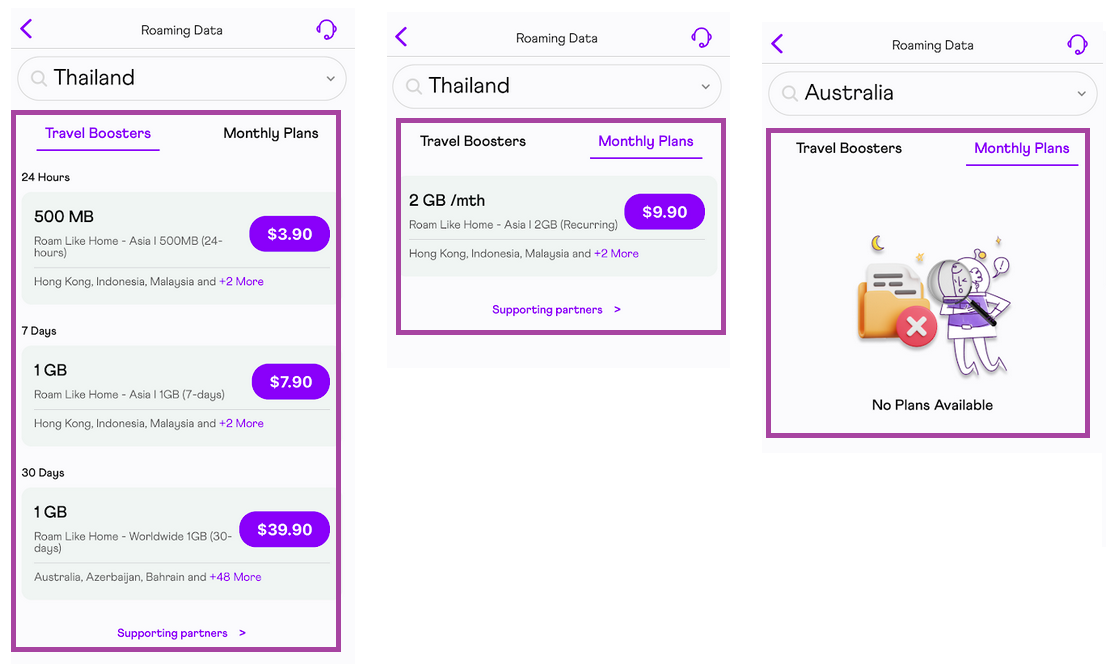
Depending on your destination and length of stay overseas, we have a few options to select from for your data plan Travel Booster.

Auto-renew feature will need to be turned off when roaming service is no longer required to avoid the automatic renewal of the Travel Booster upon the return to Singapore.
Here's how to select the right data plan Travel Booster for your upcoming trip overseas:
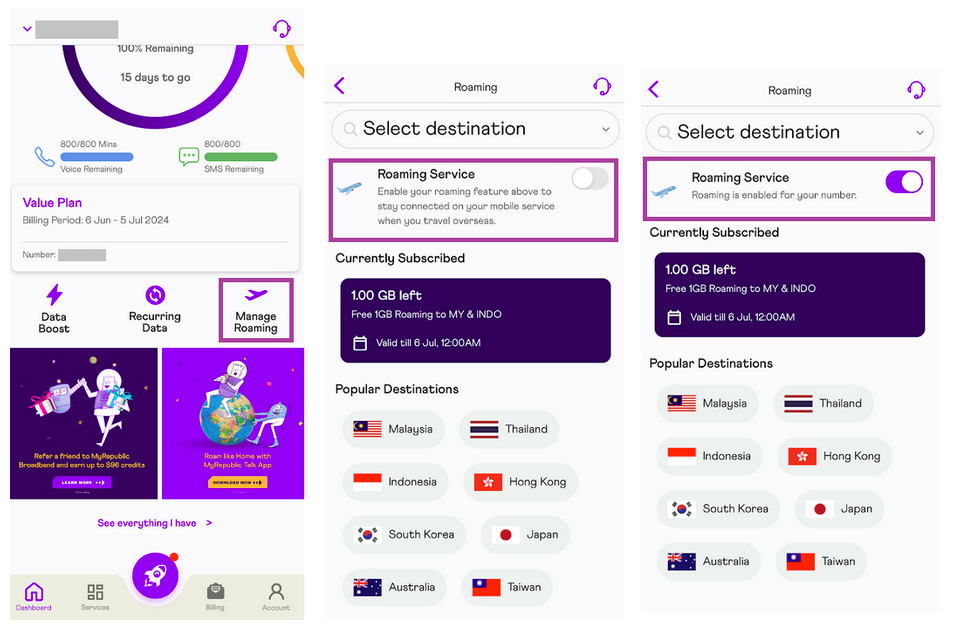
Login to the MyRepublic Mobile App 🔑
From the landing page, tap on "Manage Roaming" 🌐
Enable/disable "Roaming Service" 📶
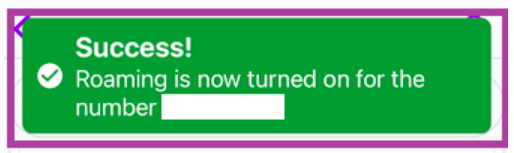
A confirmation message will be displayed once roaming service is successfully enabled on the Mobile App ✅
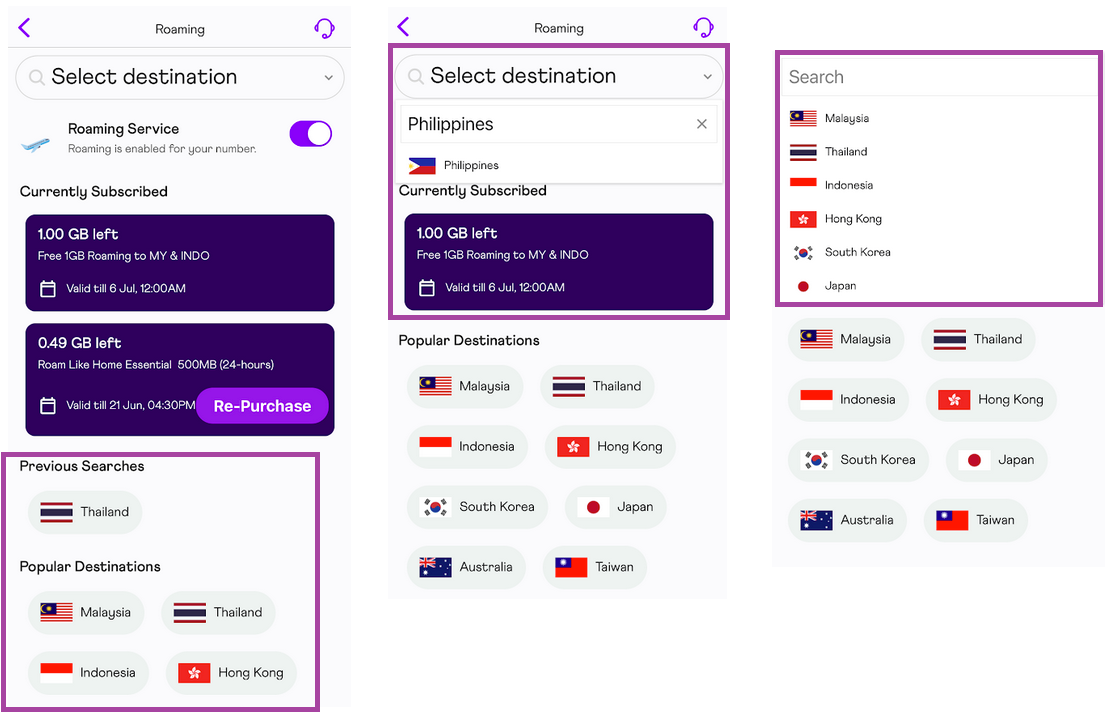
Select your destination from the "Popular Destinations" list. 🌏 If your destination is not listed, you can type it in or scroll through the search bar. 🔍✈
You may select from the list of Travel Booster plans that will appear if we have a data roaming plan supporting your destination. 📱✈ Roaming Plans are available for 24 hours, 7 days, 30 days, and Monthly Plans for frequent travelers. 🌐
Remember to connect to our supported roaming partners for your Travel Booster to work. 🤝 A list of our Supported Roaming Partners is available for your reference. 📋